After a small break, the following progress: midterm review submitted, table of contents created, animation update in animatic plus some new frames, stylebook template updated, pre-production journal updated, new reference posted, screen test completed successfully, research for paper, task list started. Seems like I was busy, but a long way to go...
animatic_032609.mp4 (5.87MB)
preproduction_book_03-26-09.pdf (12MB)
screen_test_sample_032609.mp4 (2.4MB)
2009-03-26

2009-03-19
Reference: Ratatouille
"Sugarplums" script calls for a "magical effect" regarding the series of imagined Christmas gifts. Here's some reference...
 In Brad Bird's Ratatouille, "Gusteau" is a ghostly figment of imagination. He is surrounded by swirling particles that remain close to his form. He is slightly transparent and blurry-edged, and he has a wide, bright glow. (click images to view)
 The particles emanating from Gusteau are small, gold, and random, creating a "stardust" effect.
 When Gusteau moves he leaves behind momentary blurry trails, and the stardust hangs in the air behind him for a short time. The overall effect of these creative choices gives the viewer the impression that this character is unreal...Rather, he is imagined and may appear or disappear at any time.
In "Sugarplums", I imagine a similar treatment for the gifts that appear in the child's dream.
Ratatouille. Dir. Bird, Brad, and Jan Pinkeva. The Walt Disney Company, 2007.
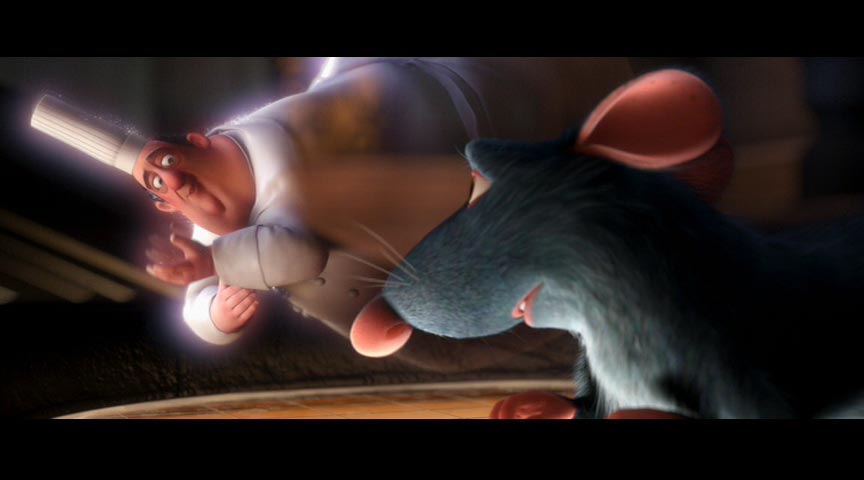 In Brad Bird's Ratatouille, "Gusteau" is a ghostly figment of imagination. He is surrounded by swirling particles that remain close to his form. He is slightly transparent and blurry-edged, and he has a wide, bright glow. (click images to view)
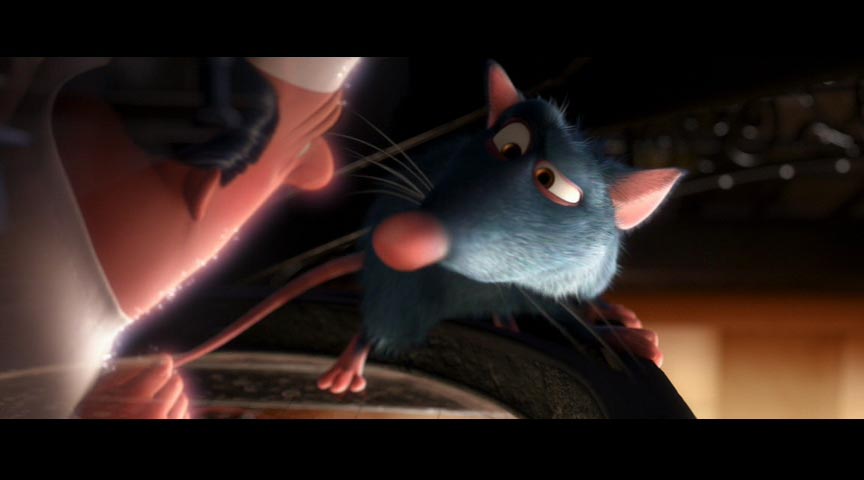 The particles emanating from Gusteau are small, gold, and random, creating a "stardust" effect.
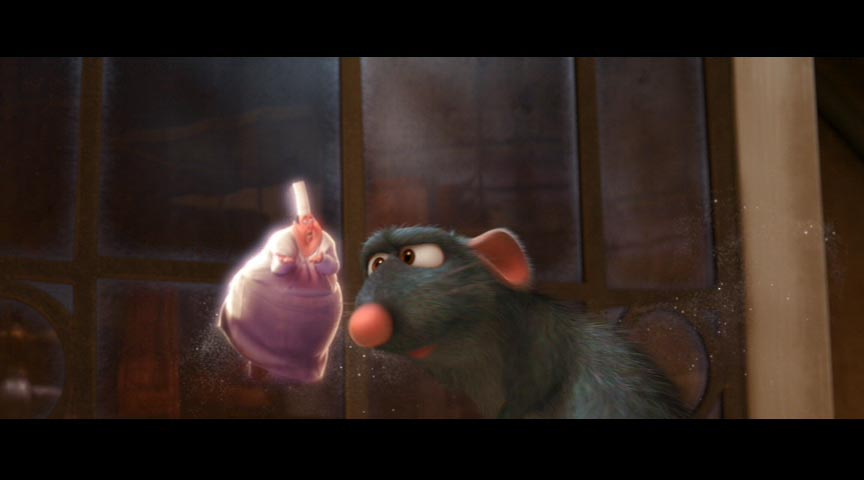 When Gusteau moves he leaves behind momentary blurry trails, and the stardust hangs in the air behind him for a short time. The overall effect of these creative choices gives the viewer the impression that this character is unreal...Rather, he is imagined and may appear or disappear at any time.
In "Sugarplums", I imagine a similar treatment for the gifts that appear in the child's dream.
Ratatouille. Dir. Bird, Brad, and Jan Pinkeva. The Walt Disney Company, 2007.
Goals Week 8
- midterm review summary
- storyboards
- screen test kid
- more visual reference
- add detail to research outline
- toner for printer
- update pre-production book
2009-03-07
2009-03-06
Goals Week 7
- finish storyboard 1st draft
- finish script
- screenplay
- finish animatic 1st draft
- all other midterm deliverables
2009-03-05
Week 06 Complete
Chipping away toward the midterm review. I should have everything ready for the panel next week. I will be busy, however...
preproduction_book_03-05-09.pdf (8MB)
animatic 03.05.09 (5MB)
preproduction_book_03-05-09.pdf (8MB)
animatic 03.05.09 (5MB)
2009-03-02
Regarding Adobe OnLocation
A problem I face in the studio is shooting elements on different days that will require some degree of optical lineup for compositing. I wanted to look into a solution that would allow me to combine an image on a laptop with a feed from a camera to get a rough idea of composition. I have come across this OnLocation CS4 Review by Steve Hullfish at Pro Video Coalition indicating that this software may in fact solve my problem.
I'll need to have a look at it, and test to see if it behaves as advertised in my environment.
Hullfish, Steve. "OnLocation CS4 Review." (2009). 29 Mar. 2009 <http://provideocoalition.com/index.php/shullfish/story/onlocation_cs4_review/>.
"Another super useful feature in OnLocation is the split screen button beneath the field monitor. You can superimpose or split the screen between either two previously shot clips, or between a previously shot clip and the live camera. You can set the position of the split screen and or the opacity of the overlay of one scene onto the other. This allows you to do things like match eye-lines or position actors from different scenes relative to each other. This could even help monitor continuity between scenes."
I'll need to have a look at it, and test to see if it behaves as advertised in my environment.
Hullfish, Steve. "OnLocation CS4 Review." (2009). 29 Mar. 2009 <http://provideocoalition.com/index.php/shullfish/story/onlocation_cs4_review/>.
2009-02-26
Week 05 Complete
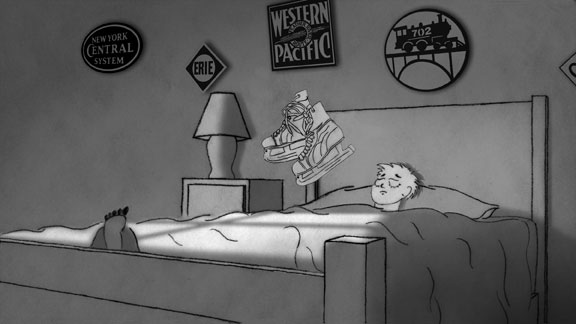 This week has been about storyboard panels. For me, this has been a consuming task. While I'm happy with the results, the pace of their production has not moved as quickly as I would like. I guess storyboarding is a quick art only if you have the skill to make it quick. I have somewhere between a third and a half of all the panels I'd like to have. I have made the decision, however, that I'm working only for myself on this project, and if it takes a large chunk of time to get this done in the way I desire then so be it. The other goals for this week are in shambles!
I did find the time to put the existing panels into an animatic w/ music. The cuts seem to be working, and I'm feeling a little renewed to keep moving forward. Here are some links to the current work in progress:
preproduction_book_02-25-09.pdf
animatic 02.25.09 (4.1 MB)
2009-02-24
Conclusions - Studio Test #2
Camera
- 120 degree shutter seems to provide the best balance between minimizing motion blur and maximizing depth of field
- f4 seems to be the best possible iris indoors without adding more lights
- wider lens was better > could go even wider?
- no gain greatly improved channel noise
- depth of field is acceptable...wish it was better
- watch out for iris shifts w/ auto iris
- two scoops full on plus overhead kinos was acceptable...would love more light
- white studio w/ green cloth greatly reduced spill
- will need painted foamcore panels
- will still be work w/ moving train
- mo-blur better
- noise better
- spill better


Subscribe to:
Posts (Atom)